
Setup
1. Download
First download the VPN client from here with the following settings :
- Software: SoftEther VPN (Freeware)
- Component : SoftEther VPN Client
- Platform : Windows
- Select CPU : Intel(x86 x64)
2. Install
When downloaded run the installer using default values (client only)
3. Configure
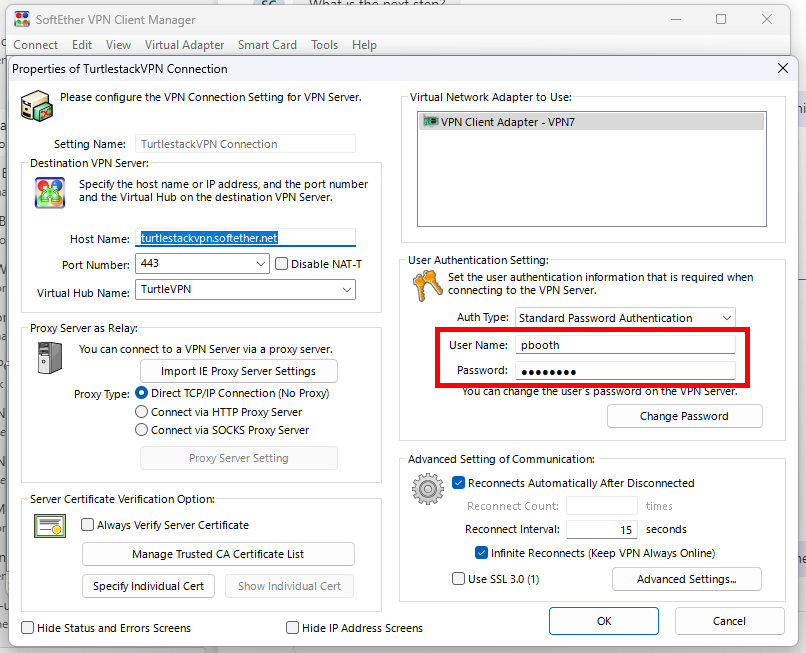
In the SoftEther interface populate it as shown here
| Key | Value |
|---|---|
| Setting Name | TurtlestackVPN |
| Host Name | turtlestackvpn.softether.net |
| Port Number | 443 |
| Virtual Hub Name | TurtleVPN |
Use the User Name and password provided during your onboarding (red region highlighted)
| Title | Setup | |
|---|---|---|
| Document Type | ||
| Document ID | Version | Issued |
| Review Process | ||
| Approved | Issued | Reviewer |